Viewing macOS Firewall settings on managed devices
When macOS Firewall settings are applied to a managed device, they appear on the target device in the Profiles section, under Firewall Policy.
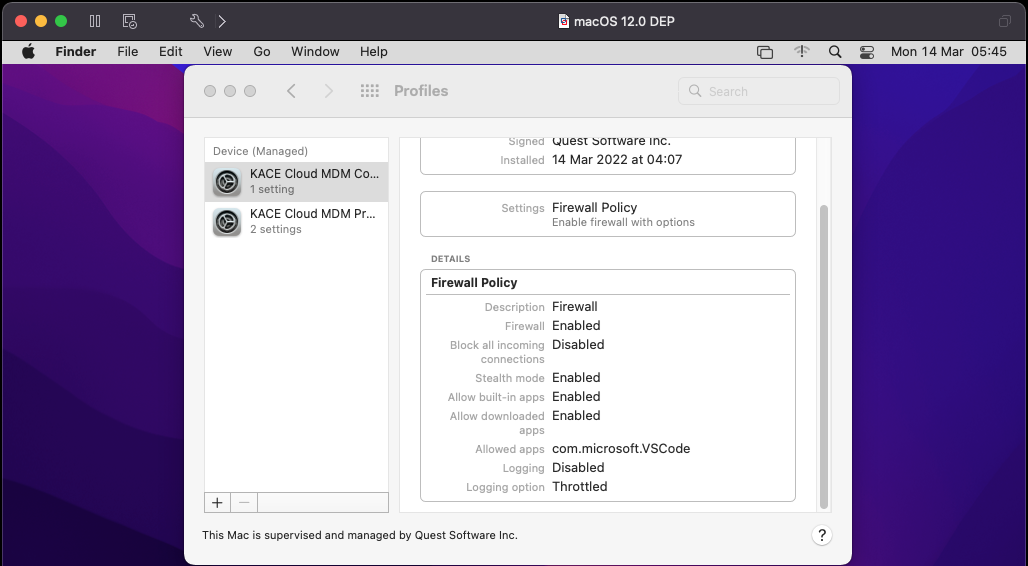
In macOS 12.3 all settings are listed. Earlier versions ignore anything that does not apply to them.
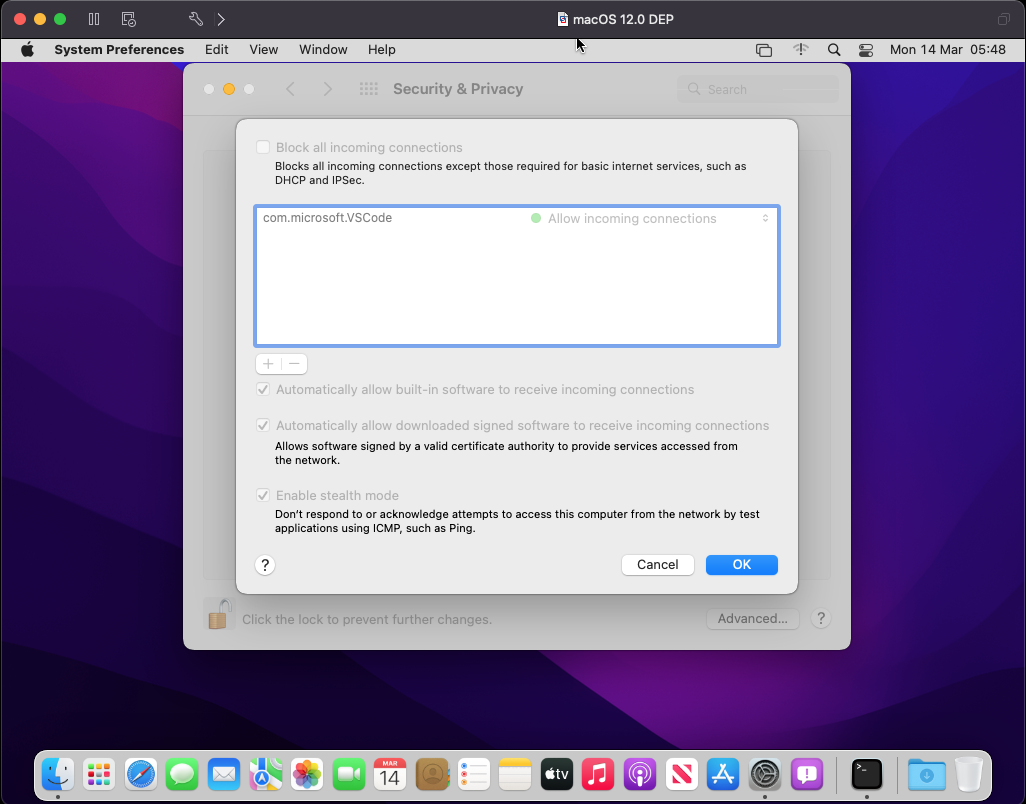
In addition to the Profiles section, the apps are also listed in the firewall system preference panel. All options appearing in this panel are disabled.
Any errors applying configurations to macOS devices appear the macOS console.